
Digital Screenmedia Association Member Benefit: 20% off A discount code is required to get the member price. If you are a member and have not received your discount code, please contact Diana Sexson at dianas@digitalscreenmedia.org or 1-866-240-1318 x112 (outside US or Canada call 502-241-1318).
This report is in PDF format. Hard copies are available upon request with an additional charge for printing, binding, shipping and handling.
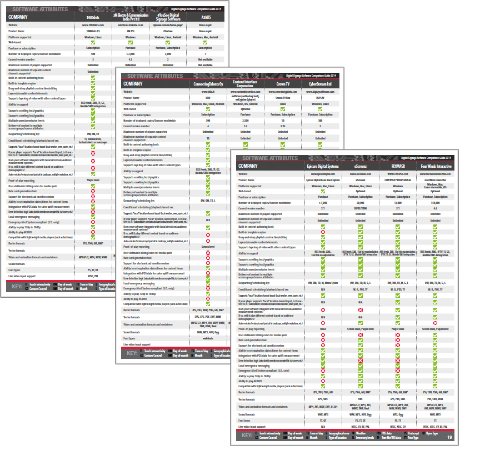
SPECIAL REPORT Digital Signage Software Comparison Guide More than 30 pages worth of detailed information about dozens of digital signage software products — a must-have resource for any digital signage deployer.
To make it easier for digital signage deployers to find the perfect software solution, the editors of Digital Signage Today have identified more than 65 attributes and created a comprehensive grid that spells out the exact capabilities of more than 120 digital signage software products.
In addition, the guide includes an interactive Windows desktop application that allows users to place checkmarks next to the attributes they need. After all the necessary attributes have been selected, the Digital Signage Software Comparison Wizard generates a complete list of all software products that meet the user’s needs.
This 46-page publication and interactive software tool will help businesses select the right software for their digital signage solutions.
Learn which digital signage software programs have the capabilities to complete your deployment.
Look for specific attributes in software programs, including operating system, deployment platform, media types supported and integration with advertising plans.
Compare programs side-by-side to find the absolute best fit for you.
Find complete contact information for each featured digital signage software company.
Learn which featured companies are members of the Digital Signage Association.
Gain access to the Digital Signage Software Comparison Wizard.
Print out a complete list of the software programs that match your deployment needs.
What's this interactive tool that I get? Look below for a full explanation.
Here's how it works...
First, I select the attributes I think are important and check the appropriate boxes.
Note: This is a screenshot; links will not work. Then I select "Generate Report". A report similar to this is generated.